

OPTIONS DESK
Options Desk is the Overcharts environment dedicated to monitoring and advanced analysis of options.
It is a tool designed to provide traders with a real-time view of the options market.
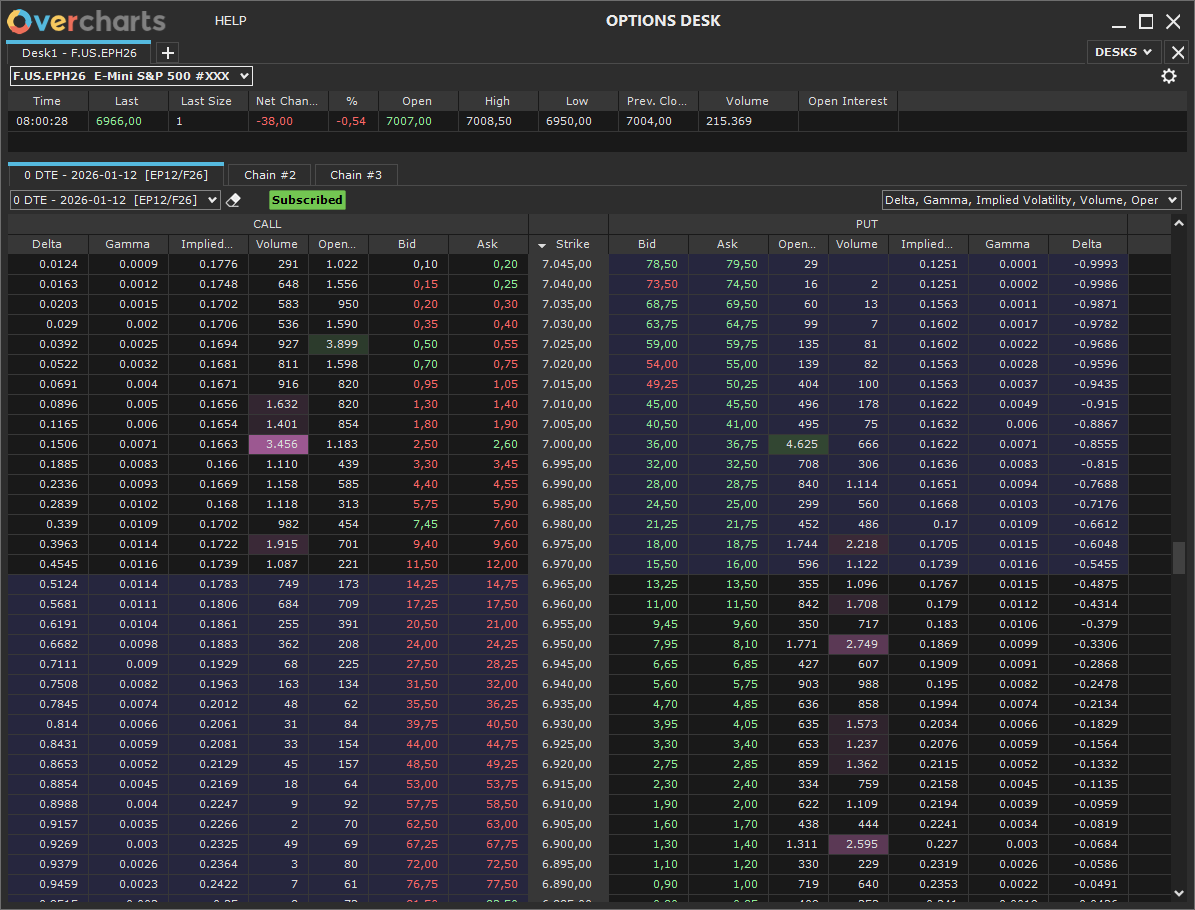
Options Desk is the Overcharts environment dedicated to monitoring and advanced analysis of options. It is a tool designed to provide traders with a real-time view of the options market.
One Desk per Underlying
With Options Desk, you can create an unlimited number of desks, each dedicated to a single underlying.
This approach allows you to:
-
Separate analysis by instrument
-
Quickly switch between markets without reconfigurations
Multiple Expirations per Desk
Within each desk, you can display up to 3 Option Chains with different expirations.
This allows you to:
-
Compare option structures across expirations
-
Identify differences in volatility and positioning
Clear Option Chain View
Options Desk enables you to analyze the Option Chain in a clear and organized way, highlighting:
-
Strike
-
Calls and Puts side by side
-
Open Interest and Volume
-
Implied Volatility (IV), Theoretical Price
-
Greeks (Gamma, Delta, Theta, Rho, Vega)
You can choose which columns to display.
It is also possible to control the amount of data shown and the refresh frequency, finding the right balance between:
-
Data responsiveness
-
Platform performance
Volatility Smile
Options Desk includes the Volatility Smile view, which shows how implied volatility changes across option strikes with the same expiration.
This feature allows you to:
- Visualize the volatility structure across the entire chain
- Highlight differences between ITM, ATM, and OTM options
- Quickly understand how the market prices risk
- Identify possible asymmetries between calls and puts (skew)
The Volatility Smile helps provide a clearer view of market expectations and the distribution of implied risk.
Trading
Options Desk allows you to create and manage options strategies directly from the platform:
-
Up to 3 strategies per desk, each in a separate grid.
-
Combine Call and Put orders to build complex strategies.
-
Insert orders directly from the Option Chain by clicking on Bid or Ask.
-
Send all strategy orders to the Simulator or the Broker.
-
Confirm the strategy in the summary window and send all orders in a single batch.
-
Monitor, modify, or cancel orders from the “Positions, Orders & Accounts” window.